Skip to content
+918793166470 info@coresoftech.com Call Now Ask ?
Best Software Training Center Pune

Best Software Training Center Pune

  • IT Training
    • Full Stack Development Training
    • SOFTWARE TESTING – Manual & Automation Testing Using Selenium
    • Introduction to .NET
    • Full Front End Development -HTML CSS JAVSCRPT J QUERY Training
    • PYTHON TRAINING COURSES
    • ADVANCE PYTHON -Web Development Using Python
    • Data Science Machine Learning Training Courses
    • Data Science Machine Learning Training Courses
    • C C++ Training Courses
  • CAD TRAINING -Online Training / Offline Training
    • Civil / Architectural /Interior
      • Autocad Training for Civil
      • Revit Architecture Training
      • 3ds max Training
      • V Ray Training
      • Sketchup Training
      • Lumion Training
      • Photoshop Training
      • Vastu Shastra Training
      • ETABS Training
      • StaadPro Training
      • MSP Training
      • Primavera Training
      • BIM -Building Information Modeling Training
      • Civil 3D Training
      • MX Road Training
    • Mechanical
      • Autocad Training for Mechanical
      • CATIA Training
      • Creo Training
      • NX CAD Training
      • Solidworks Training
      • Inventor Training
      • ANSYS Training
      • BIW Training ( Body In Wide)
      • CNC Training ( CNC & VMC Programming )
      • GD &T Training ( Geometric Dimension & Tolerances)
    • Electrical
      • Autocad Training for Electrical
      • Electrical AutoCAD ( Advance )
      • Design Of Control Panel
      • PLC SCADA Training
      • ePLAN Training
      • Complete EPLAN Training Online
      • EPLAN PRO PANEL TRAINING
      • Complete EPLAN ProPANEL Training Online
  • Placements
    • Job Calls
    • Placed Candidates & Our Clients
    • Internship Training
    • Certificates
    • Download Certificates
    • Students Work (Projects)
    • Syllabus (Download)
  • Cart
Close Button

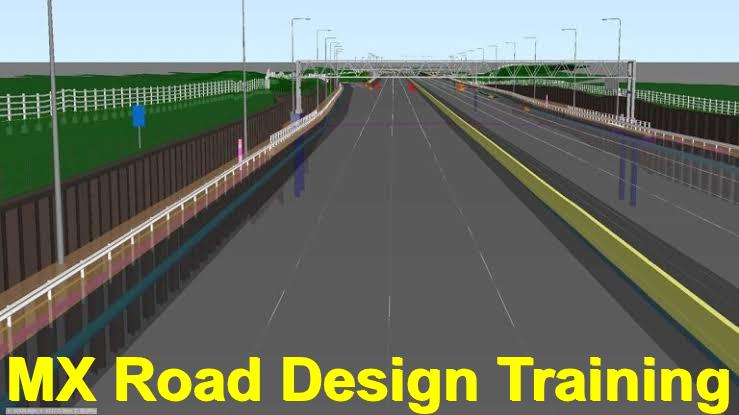
MX Road Training

Day Wise Topic
DAY : 1
Introduction
· MX ROAD key features
· Basic concepts
· Getting started
DAY : 2
· Create new project
· Working environments
· view controls in MX
DAY : 3
CAD Environment
· Attributes
· Updates view
· Pan view
DAY : 4
· CAD tools
· Drawing tools
· Modifying tools
DAY : 5
Enhanced menu and GUI changes
· Survey inputs and validation
· General procedure (GENIO file)
· String names and drawing styles
DAY : 6
· Feature name sets
· Drawing produced by plan style sets
· Displaying the model
· Hiding or deleting MX graphical elements
DAY : 7
Element of geometry design
· MX command language & Input files
· All geometry and Tasks
DAY : 8
Status: Deriving information from display
· Point related
· Point selection methods
· Distance/ dimension related
DAY : 9
· Model analysis
· Triangulation
· Data conflicts
DAY : 10
Surface analysis
· Dynamic surface analysis
· File management
· Compress
· Multiple models
· String naming convention
DAY : 11
Edit models
· 2D to 3D view surface
· Create model
· Delete a model
· Free/secure a model
· Rename a model
· Trim a model to a boundary
DAY : 12
· Create composite model
· Edit strings
· Create string dynamically
· Create string
· Edit points
DAY : 13
Design- quick alignment
· Alignment
· Horizontal design & Horizontal design toolbar
· Report
DAY : 14
Design- Vertical profile
· Design model
· Existing model
· Collinear profile model
· Vertical profile Toolbar
DAY : 15
Design- alignment by element method
· Begin horizontal design
· Horizontal alignment -Element method
· Best fit alignment
· Best fit horizontal alignment- Element
· Best fit alignment- vertical string
DAY : 16
Road design- carriageways
· Rule based super elevation
· Cross fall checker
· Road design- road widening
· Dynamic reports
DAY : 17
· Wall opening
· Opening By Face
· Types of reports
· Adding annotation
· Saving report
DAY : 18
• Junction design
· Create fillet
· Regrade junction
· Traffic island
· Tidy junction
· Road design- shoulder design
· Road design- kerbs, verges and footways
DAY :19
· Earthwork design, Earthwork model details
· Assign Earthwork Style and Strategy
MX ROAD 60HRS (30DAYS)
MX ROAD
(60Hrs) 30Days
· Earthwork style open
· Alternative strategy End earthworks
DAY : 20
Pavement and subgrade design
· Model details
· Pavement layer design & Pavement layer design- Style set
· Pavement styles –Areas and Zones
· Reports
DAY : 21
• Dynamic section • Final Drawings Manager o Base drawing o Types of drawings o Plan Profile
DAY : 22
• Final Drawings Manager o Create cross sections o Display cross sections o Layout pages o Page setup o Create or edit page setup
DAY : 23
o Page layout, Edit page layout o Annotate drawing Publish drawings
· Insert CAD File
· Load Family
DAY : 24
• Road Re-design and Rehabilitation o MX RENEW o Template method o Tabular method • Overlay design -Template method o Start a scheme o Define surface wizard o Corridor design
DAY : 25
Corridor design- Editor View
• Testing a design o Isopatch analysis • Composite model o Automatic seeding • Visibility o Through visibility o Visibility viewer
Earthwork calculation- Volumetric analysis
DAY:26- 30
PROJECT WORK
Click here To Know OFFER

Training Highlights

Instructor Based 1 to 1 Live Training

LIVE Doubts Session 1 to 1

LifeTime Video Recording Access

Notes & E books E Work Book

Certification ISO

Interview Calls Assistance

Click here To Know OFFER

MECHANICAL CAD COURSES

ELECTRICAL CAD COURSES

CIVIL CAD COURSES

BIM CAD COURSES

  • INTERIOR TRAINING COURSES
  • ARCHITECTURE CAD COURSES

Meta

  • Log in

ADDRESS

CAD DESK PUNE- B25, 4th FloorShivam Complex ,Shankarmath, Pune-Solapur Highway

Hadapsar Pune 411028 Maharashtra India

Call :+918793166470

CADDESK HADAPSAR PUNE Franchise Partners By Themespride

Call Us Now
1

Powered by
...
►
Necessary cookies enable essential site features like secure log-ins and consent preference adjustments. They do not store personal data.
None
►
Functional cookies support features like content sharing on social media, collecting feedback, and enabling third-party tools.
None
►
Analytical cookies track visitor interactions, providing insights on metrics like visitor count, bounce rate, and traffic sources.
None
►
Advertisement cookies deliver personalized ads based on your previous visits and analyze the effectiveness of ad campaigns.
None
►
Unclassified cookies are cookies that we are in the process of classifying, together with the providers of individual cookies.
None

Powered by